

Overview
The Chatbot Evaluation tool allows you to test your prompts across multiple AI models, all at once. You can compare responses side-by-side, analyze quality, and decide which model works best for your chatbot before deploying changes. This helps improve accuracy, tone, and user experience without guesswork.Accessing Chatbot Evaluation
1
Open Evaluation Tool
- Log in to your dashboard
- Go to Settings
- Select Chatbot Settings
- Click on Chatbot Evaluation
2
Choose Test Mode
- Pick Single Prompt or Multi Prompt depending on your testing needs
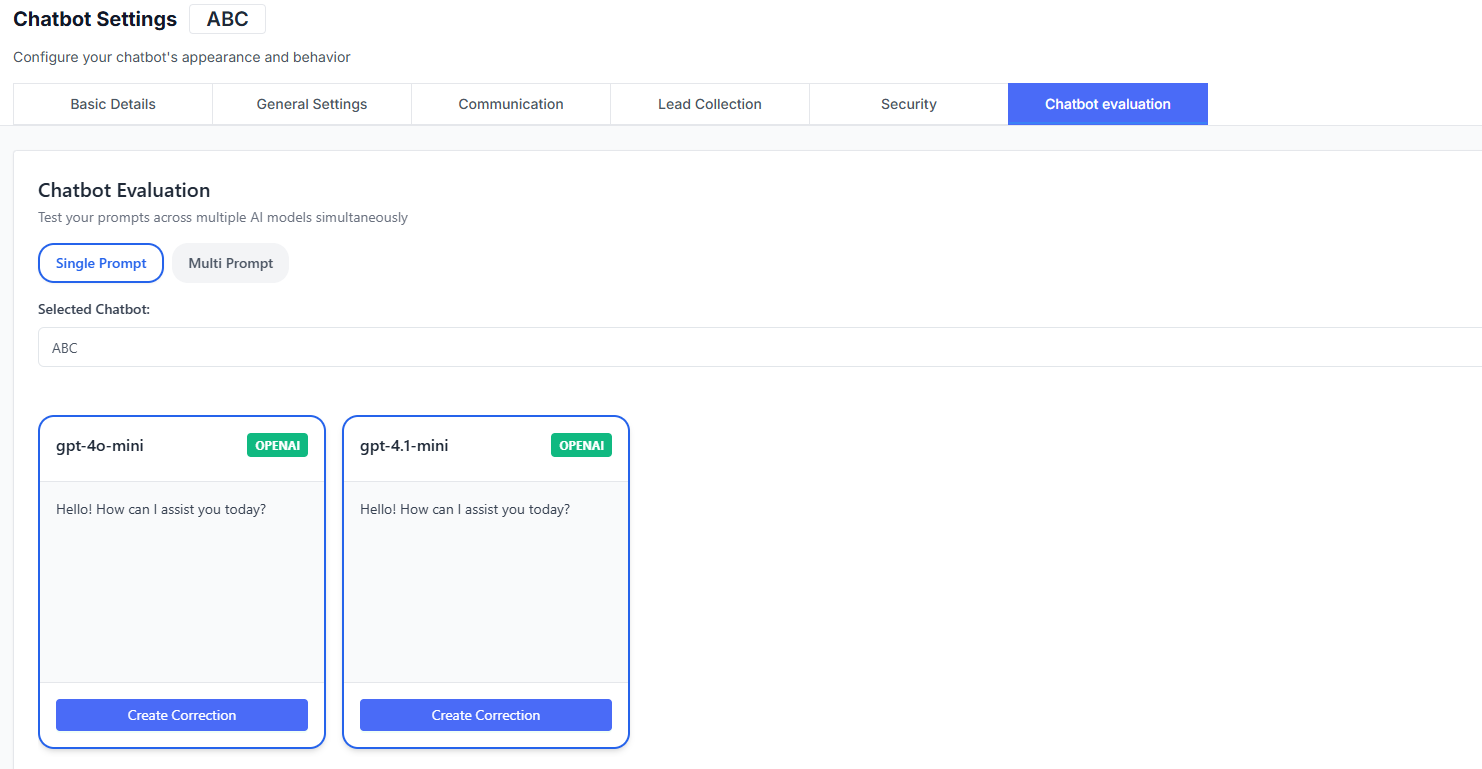
Evaluation Modes
Single Prompt
Test one prompt at a time and compare responses instantly.Multi Prompt
Run multiple prompts in sequence to analyze consistency across AI models.Use Multi Prompt when testing workflows, FAQs, or repetitive scenarios.
Selected Chatbot
You can evaluate prompts using your existing chatbot configuration.Chatbot
Example: ABC
Active Model
Example default: gpt-4o-mini
Comparing AI Models
The evaluation area displays each selected AI model with its response. Each response panel includes a Create Correction option.Create Correction
Use this to:- Suggest improvements
- Fix tone or clarity
- Adjust formatting or accuracy
Selecting AI Models
Select AI Models
Choose which models to include in the comparison.Add or Remove Models
Click + Add Model to include additional AI engines.
Flexible Testing
Mix different providers or versions for deeper evaluation.
Saving Changes
When you’re satisfied with your testing results:Save Changes
Apply updated model selections or evaluation settings.
Best Practices
- Test prompts for both short and long responses
- Compare tone, accuracy, and consistency across models
- Use corrections regularly to fine-tune results
- Re-evaluate after major chatbot updates
- Document findings for your team