

Overview
The Integrations & Tools feature allows you to enhance your chatbot by connecting it with external platforms, messaging channels, business tools, and AI-powered services. These integrations help automate workflows, improve customer communication, and extend your chatbot’s reach across multiple platforms. This guide explains the available integrations, how they work, how to manage connected integrations, and where to find detailed setup documentation.Accessing Integrations
1
Open the Dashboard
- Log in to your NeuralTalk AI dashboard
- Select the chatbot you want to connect
- Navigate to Addons and Design from the main menu
- Click on Integrations
2
View Available Integrations
- The Integrations page displays all supported platform integrations and AI tools
- Each integration shows its current connection status
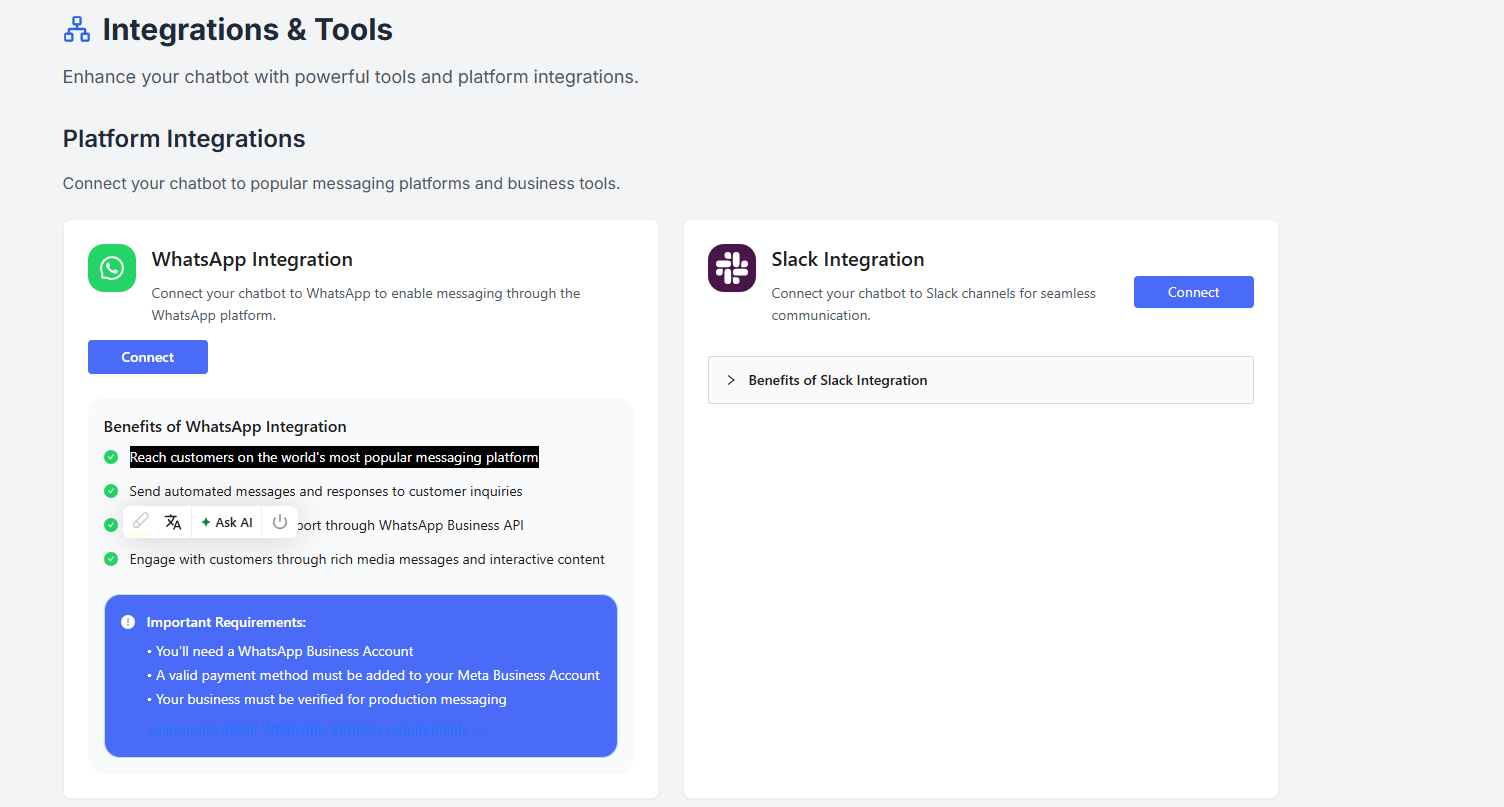
Platform Integrations
Platform integrations allow your chatbot to communicate with users and systems outside the dashboard. The following platform integrations are available:- Slack
- Discord
- Telegram
- Calendly
- HubSpot
- Zendesk
Managing Integrations
Once an integration is connected:- A Settings button becomes available to configure integration-specific options
- You can disconnect the integration at any time
- Disconnecting an integration does not affect your chatbot’s core configuration
Please refer to the Integration Guides section for complete information on how to connect and manage each integration.
AI Tools
AI tools enhance your chatbot’s intelligence by enabling real-time data access and dynamic responses. The available AI tools include:- Web Search
- Weather Search
How AI Tools Help
AI tools allow your chatbot to:- Fetch real-time information
- Provide more accurate and up-to-date responses
- Improve overall conversation quality and user satisfaction
Best Practices
- Enable only the integrations required for your use case
- Review integration settings after connecting to ensure correct behavior
- Disconnect unused integrations to keep configurations clean
- Refer to integration guides before enabling production messaging or CRM sync